
【待翻译】From Model to ZBrush Splash Screen:
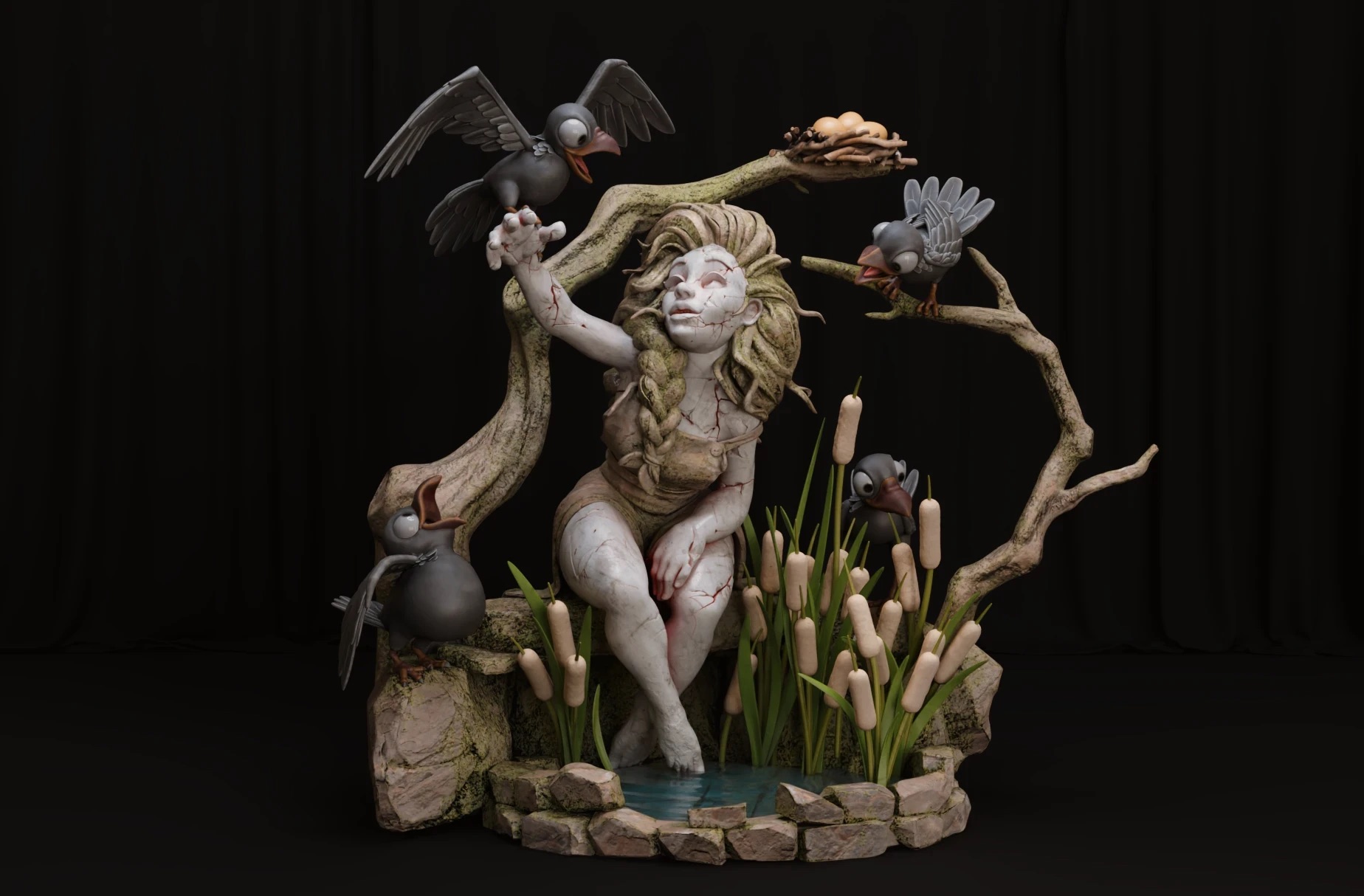
Ana Roman shared the sculpting techniques she used to create Lady Rock, a diorama so great that it was chosen for ZBrush’s splash screen. She showed how the new bridge with Substance 3D Painter streamlined the workflow and how little details helped achieve the cracked look.
核心信息
- 已抓取原文标题、摘要与正文。
- 已同步封面图和正文媒体资源。
- 当前稿件为 fallback 草稿,建议继续人工润色后发布。
原文内容摘录
Introduction First, I would like to thank Even Mehl Amundsen for allowing me to use his concept. His artwork made me fly to a magical world, where the girl was frozen within living nature and could listen to the forest’s secrets through the crows. Lady Rock For this project, I will use PureRef, ZBrush, RizomUV, Substance 3D Painter, Blender, and Photoshop. The second step is to look for references to make my life easier. I use Google and Pinterest; both are good choices for this stage. I created albums on Pinterest to save and keep all my references organized.After that, I make a final selection from them, download everything, and open all the images in PureRef. This way helps me to have a clearer and more organized vision of the project. Sculpt TimeBlockingI am going to start using a ZSphere Mannequin Ryan female. Before adapting and posing it for my sculpt, I load my reference into ZBrush using Texture/Load Image. This way, the image is added to a new project and also appears on the canvas. I use Ctrl+N to clear the canvas. Next, I append an empty plane to my scene. I assign the texture map: Active Tools/Display Properties/Double Side to prevent the reference from disappearing in





喜欢这篇内容吗?